
Ergonomic Tall Desk Chairs: How to Match Seat Height to Your Setup
Standard office chairs top out around 21 inches — fine at a 29-inch desk, useless at a 34-inch drafting table or a standing desk held at its midpoint. A proper tall or drafting-style chair with the right height range and a footring solves problems that no lumbar cushion or monitor arm can fix. Here’s how to pick one that works for your body and your specific desk height.
The Seat Height Range: The Only Spec That Actually Matters First
Before armrests, back height, or mesh quality — look at the seat height range. The Primy Armless Tall Desk Chair (PR777-Z, $104.49) adjusts from 23.6 to 33.5 inches, a 10-inch window that covers virtually every counter-height and standing desk setup on the market. The Flash Furniture Hercules Series offers comparable pricing ($89–$110) but tops out closer to 31 inches — a 2.5-inch ceiling gap that becomes the difference between comfortable and barely functional at a taller workstation.
How to Calculate the Right Seat Height for Your Body and Desk
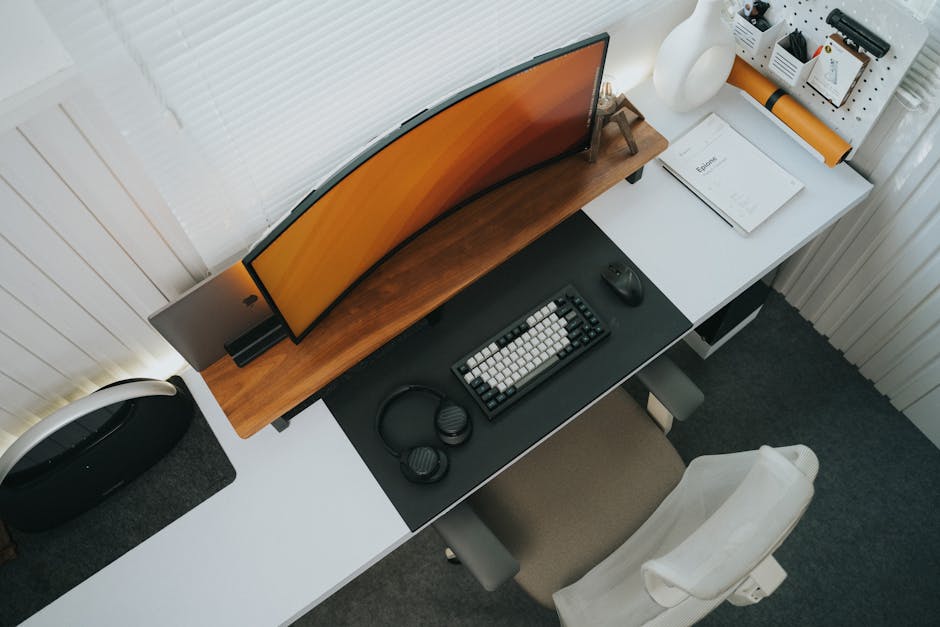
The math here is simple, but it requires two actual measurements: your desk surface height and your seated inseam — the distance from the floor to the back of your knee when sitting. Most buyers only check desk height and ignore body proportions, which is why chairs that are technically tall enough for the desk still feel wrong after two hours.
The 90-Degree Hip Rule — and Where It Breaks Down
The standard ergonomic target is 90-degree angles at the hips, knees, and ankles simultaneously: hips level with or slightly above the knees, forearms parallel to the desk surface, feet on solid support. This works reliably for people between 5’4″ and 5’11” at surfaces set between 28 and 32 inches.
Outside those ranges, it fails in two specific ways. For taller users above 6’0″ at counter height: the seat needs to push above 28 inches, which is at or near the ceiling of most tall chairs. For shorter users under 5’3″ at elevated desks: the seat height that keeps forearms parallel to the surface will leave feet dangling 8–12 inches above the floor. Without a footring, all of that unsupported leg weight pulls on the hip flexors and compresses the lower spine continuously.
The footring is not a comfort accessory in that scenario — it’s doing structural ergonomic work. Both the Primy PR777-Z and the OFM ESS-9085 ($95) include an adjustable 360° footring built into the base. Chairs that sell the footring separately, or omit it entirely, are missing the component that makes tall-chair ergonomics actually function for anyone under 5’6″ at a high surface.
Counter Height vs. Standing Desk — Two Different Height Problems
A sit-stand desk used in seated mode typically locks between 27 and 34 inches. For that range, you need a tall chair that adjusts down to at least 22–23 inches and up to your desk surface. The Primy PR777-Z’s 23.6-inch lower limit covers this for most users without forcing the chair to its maximum extension.
A fixed counter-height surface — art studios, fabric workrooms, kitchen islands repurposed as standing workstations, commercial-style bar areas used as home offices — typically sits at 34–36 inches. At that height, the seat needs to reach 26–30 inches depending on the user’s proportions. The 33.5-inch maximum on the Primy PR777-Z handles this range with meaningful room left for fine adjustment.
A genuinely different case: the active-standing zone above 38 inches. At 38–45 inches — the height where people half-stand, half-lean at a desk raised to its maximum — what reduces fatigue is not a tall seated chair but a perch stool. The Humanscale Ballo ($395) and the Safco Vari Active Stool ($275) are built specifically for that leaning posture. Trying to use a drafting chair at that height just creates a different set of problems. Know which height zone your desk actually occupies before choosing a chair category.
The Two-Minute Seat Height Measurement
Sit at the edge of a kitchen counter or workbench that’s close to your actual desk height. Let your legs hang completely naturally. Measure from the floor to the crease at the back of your knee. Add 1 inch for shoe sole thickness. That result is your target seat height.
Now check where that number falls within the chair’s stated adjustment range. Your target should land in the middle 60% of that range — not at the maximum. A chair operating at its height ceiling has no room for daily micro-adjustments and puts additional lateral stress on the gas cylinder, shortening its lifespan significantly. If your target sits in the top 15% of a chair’s range, size up to a model with a higher adjustment ceiling.
Armless vs. Full Armrest Tall Chairs: A Direct Comparison
This is the decision most buyers get wrong. Both styles come in counter-height configurations, both have real use cases, and the wrong choice becomes obvious within the first week of daily use.
| Factor | Armless Tall Chair | Tall Chair with Armrests |
|---|---|---|
| Under-desk clearance | Slides fully under any desk surface | Armrests may catch on desk apron or drawer pulls |
| Upper body freedom | Full rotation and lateral reach | Limited by armrest position in tight setups |
| Shoulder fatigue risk | Higher during 4+ hour typing sessions | Lower — armrests offload trapezius muscle load |
| Ideal task type | Drawing, sewing, crafting, drafting, active mixed tasks | Keyboard and mouse work, extended reading sessions |
| Price range | $85–$180 | $99–$350+ |
| Example products | Primy PR777-Z ($104.49), OFM ESS-9085 ($95), Flash Furniture LF-134A ($89) | Primy Ergonomic Office Chair ($99.99), HON Ignition 2.0 ($220+) |
When Armless Is the Clear Winner
Any workspace where your task involves upper body rotation belongs in the armless column. Art rooms, fabric cutting tables, photography editing setups, home lab benches, and drafting boards all need a chair that gets out of the way when you rotate 30–40 degrees to reach across the surface. The Primy PR777-Z’s low-back mesh design is intentionally built for this — the backrest ends at the mid-spine and the seat pan tilts, so lateral movement doesn’t require fighting the chair structure. If you’re reaching and rotating more than you’re typing, armless is the right pick. Full stop.
When Armrests Make Sense at an Elevated Desk
A tall desk used as a primary computer workstation for 6–8 hours of keyboard and mouse work is where armrests pay off measurably. The trapezius muscle, which bears the weight of your arms, accumulates significant fatigue when unsupported for long stretches. The Primy Ergonomic Office Chair ($99.99) solves the clearance problem that most armrest tall chairs create — its flip-up armrests fold completely out of the way when you stand or push the chair under the desk. The 3D lumbar support adjusts for both height and depth, giving more precise fit than the fixed lumbar pads that most chairs in this price bracket use.
Six Specs to Verify Before You Place the Order

The numbers that actually matter are buried in spec tables, not headline feature lists. Here’s exactly what to check:
- Maximum seat height vs. your measured target. Your target should fall in the middle third of the adjustment range. If it lands in the top 20%, the chair will be running at its ceiling under normal use, and the cylinder will wear significantly faster.
- Footring adjustability. A fixed ring locked at 16 inches only helps users whose seated foot height happens to match that number. An adjustable ring — either sliding on the gas cylinder or on a separate mechanism — works across the full height range of the chair as you adjust throughout the day.
- Weight capacity at full extension. Tall gas cylinders at full extension experience more lateral torque than standard cylinders. Most reputable tall chairs are rated to 250 lbs at maximum height. For users above 250 lbs, the Flash Furniture Hercules Series and the OFM 5-Series both rate to 400 lbs — a different structural category entirely.
- Caster type for your floor. Hard nylon casters roll freely on hardwood but can scratch over time. Soft polyurethane casters work on both hard floors and carpet without damage. This is almost never visible in product photography — find it in the written spec description or ask before ordering.
- Back height category. Low-back chairs (ending below the mid-spine) allow torso rotation and suit active tasks. Mid-back chairs reach the shoulder blades and balance support with mobility. Full high-back chairs lock the spine into a single position — right for long stationary sessions, wrong for active work. The Primy PR777-Z is deliberately low-back, correct for an art or crafting environment, but not ideal as the sole chair for an 8-hour computer day.
- Gas cylinder warranty length. Tall chair cylinders cycle through a larger range than standard cylinders and degrade faster. One year is the minimum to accept. Humanscale and Steelcase cover cylinders for 12 years; mid-range brands typically offer 1–3 years. This single spec is the clearest durability differentiator across price tiers.
What Tall Chair Buyers Ask Most Often

Is a drafting chair the same as a standing desk chair?
They serve different height zones. A drafting chair is designed for seated work at counter-height surfaces — roughly 28–36 inches. A standing desk chair or active perch stool is designed for the 38–45 inch zone, where you lean rather than sit fully. The Primy PR777-Z is a counter-height chair. At a desk surface set above 36 inches, a perch stool like the Safco Vari Active ($275) is the correct tool, not a drafting chair.
How long does mesh hold up compared to foam cushioning?
Mesh outperforms foam in long-term durability. High-density foam compresses 15–20% within 12–18 months of daily use. That compression drops effective seat height by an inch or more and changes your posture gradually — until your back starts hurting again and you can’t identify why. Mesh elastomers deform under load and return to shape, maintaining their geometry significantly longer.
The practical tradeoff: mesh doesn’t retain warmth, so sitting down in a cold room feels more abrupt for the first few minutes. In a climate-controlled home workspace, this is barely noticeable. The Serta Style Bonded Leather Task Chair feels more premium out of the box but develops a visible compression trough within two years of regular use. Mesh chairs in the same price range hold their shape noticeably longer.
What does “3D lumbar support” actually do differently?
Most standard office chair lumbar supports adjust in one direction: depth, meaning how far the pad protrudes toward your spine. A 3D lumbar system adjusts height, depth, and sometimes lateral angle — so you can position the support exactly at your lumbar curve rather than accepting a manufacturer’s preset. This matters because lumbar curve position varies substantially between individuals of the same height. Two people at identical chairs and identical seat heights can need very different lumbar positions to maintain neutral spine alignment.
The Primy Ergonomic Office Chair’s 3D lumbar adjusts height and depth, which resolves the fit problem for the majority of users. The full 3-axis systems on chairs like the Steelcase Leap (around $1,500 new) add lateral tilt — beneficial for people with asymmetric posture or specific lower-back conditions, but unnecessary for most. Height plus depth adjustment is enough for most bodies.
Do I actually need a tall chair if my sit-stand desk goes low enough?
If your desk adjusts down to 27–29 inches and you use it exclusively in that range for seated work, a standard ergonomic chair handles the job. The case for a tall chair gets strong when your desk stays elevated most of the day and lowering it would require reconfiguring your monitor or cable setup — or when your surface is a fixed counter with no height adjustment at all. The practical argument for pairing a tall chair with a sit-stand desk is transition speed: a tall chair at 28 inches needs no readjustment when you raise the desk to stand. You simply stand up and raise the surface. No chair repositioning, no posture recalibration.